

Reviewed by Althea Edwina Rozario, Managing Partner, Althea & Jacobs Legal Consultants
Last updated
If you have received a court notification, been told that a case was filed against you, or are waiting for a decision in your own claim, the quickest way to see where things stand is to check the case status online. Dubai Courts lets parties look up their cases on its website and smart app, and most checks take a few minutes.
This guide explains how to check a Dubai court case status, what to do if you do not have a case number, and what each stage of a case actually means. If a status raises questions, our litigation lawyers in Dubai can review the file and tell you what comes next.
To check your Dubai court case status, open the Dubai Courts website or smart app, choose the case inquiry service and enter your case number and year, or log in with UAE Pass to see the cases linked to your Emirates ID. Checking is free. Cases in Abu Dhabi, the federal courts or the Rental Dispute Centre are checked through their own systems.
Worried about a case against you? The first consultation is free, and a lawyer calls back within 24 hours.
What you need before you check
- Your case details. Dubai Courts identifies each case by its number, the year it was filed and its type, such as civil, commercial or labour. These appear on court notifications, SMS messages and payment receipts.
- UAE Pass. Logging in with UAE Pass, the national digital identity linked to your Emirates ID, gives you the fullest view of your cases.
- The right court. The Dubai Courts system only shows Dubai cases. Cases elsewhere sit on other systems, covered below.
How to check your Dubai court case status online
On the Dubai Courts website
- Go to the Dubai Courts website at dc.gov.ae.
- Open the electronic services and choose the case inquiry service.
- Enter the case number, year and case type, or log in with UAE Pass to see all the cases linked to you.
- Review the status, the next hearing date and any decisions or documents shown.
On the Dubai Courts smart app
- Download the Dubai Courts app from the App Store or Google Play.
- Log in with UAE Pass, or use the guest inquiry for a basic search where it is available.
- Open the case services and choose case inquiry.
- Enter your case details to see the current status and hearing dates.
Menu names change from time to time, but the case inquiry service always sits within the case or electronic services section.
What if you do not have a case number?
If someone has told you a case was filed but you have no reference, log in to the Dubai Courts website or app with UAE Pass, which shows cases linked to your Emirates ID. Court notifications are also sent by SMS and email, so check messages you may have dismissed.
If you are worried about a travel ban or a financial case, Dubai Police offers an online service, accessed with UAE Pass, that shows travel bans and financial cases registered against you. A lawyer with a power of attorney can also make inquiries on your behalf, which helps if you are outside the UAE.
How to check a case in other emirates and forums
| Where the case is | Where to check |
|---|---|
| Dubai Courts: civil, commercial, labour and real estate cases | Dubai Courts website or smart app |
| Rental Dispute Centre, Dubai | Dubai Land Department website or the Dubai REST app |
| Abu Dhabi courts | Abu Dhabi Judicial Department (ADJD) website or app |
| Federal courts in Sharjah, Ajman, Fujairah and Umm Al Quwain | Ministry of Justice website or app |
| Ras Al Khaimah | Ras Al Khaimah Courts |
| DIFC Courts | DIFC Courts e-registry |
What your Dubai court case status means
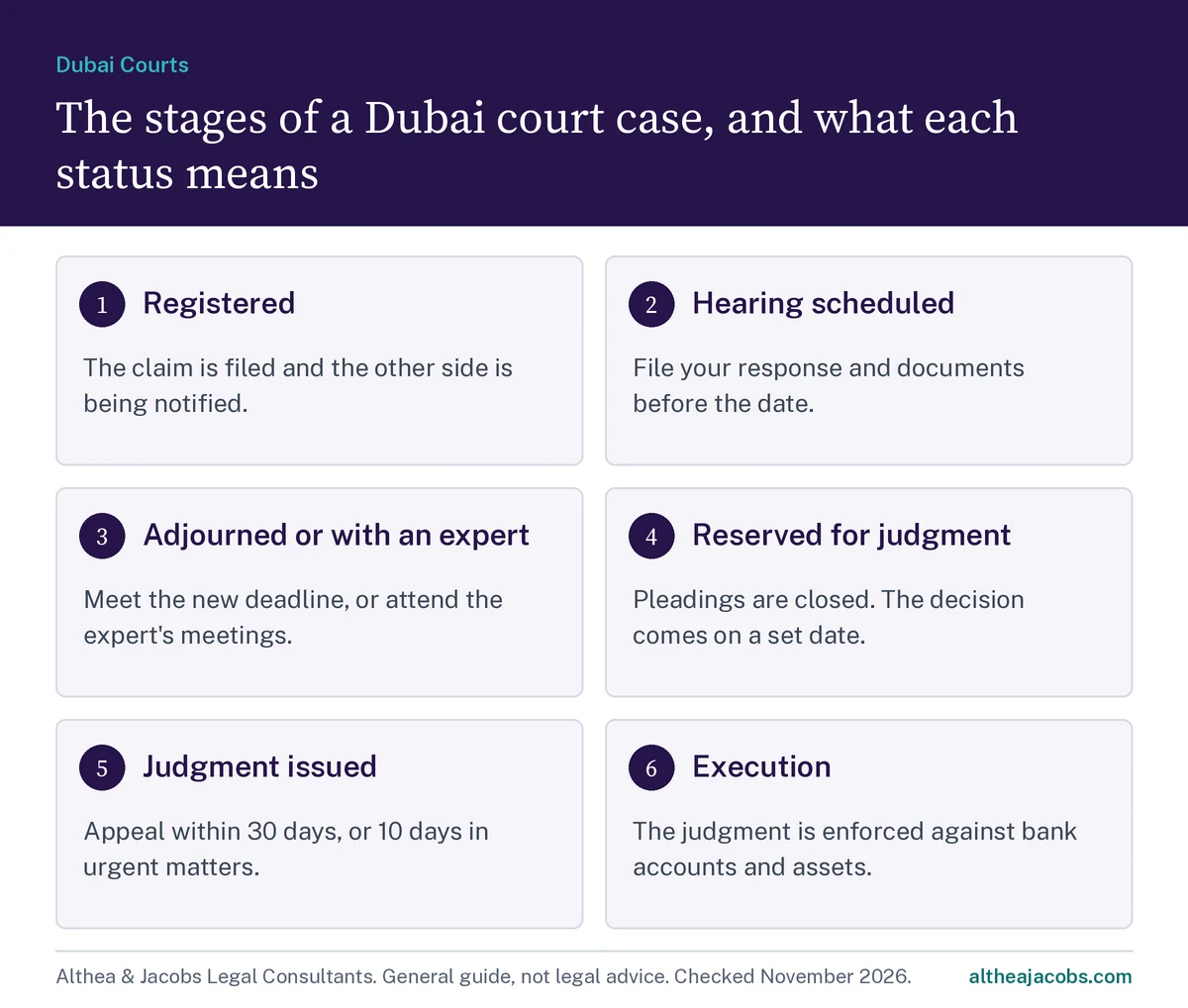
The exact wording on screen varies, and some statuses appear in Arabic, but every civil or commercial case moves through the same broad stages. This is what each one means in practice.
| Stage | What it means | What you should do |
|---|---|---|
| Registered or under case management | The claim has been filed, and the court is checking the papers and arranging notification of the other side. | Make sure your contact details are correct, so you receive notifications. |
| Hearing scheduled | A date has been set for the court to consider the case. | File any response or documents before the hearing date. |
| Adjourned | The hearing has been moved, often so a party can reply, submit documents or complete notification. | Check the reason and the new date, and meet any deadline the court has set. |
| Referred to an expert | The court has appointed an expert to report on technical or accounting questions. | Attend the expert meetings and give the expert your documents on time. |
| Reserved for judgment | Pleadings are closed, and the court will issue its decision on a set date. | New documents usually cannot be filed. Wait for the judgment date. |
| Judgment issued | The court has decided the case. | Read the judgment and note the appeal deadline straight away. |
| Under appeal or cassation | A party has challenged the judgment in a higher court. | Follow the appeal, as similar steps repeat at the higher court. |
| Execution | A final or enforceable judgment is being enforced. | If you won, ask the execution court for enforcement measures. If you lost, act quickly to avoid asset freezes or travel bans. |
Deadlines to watch once a judgment is issued
Deadlines run from the judgment, not from when you happen to check the portal. Under the Civil Procedure Law, Federal Decree-Law No. 42 of 2022, as the UAE government’s guide to the court system explains, an appeal must generally be filed within 30 days, or 10 days in urgent matters, and a challenge to the Court of Cassation within 30 days of the appeal judgment.
Since 1 January 2026, amendments made by Federal Decree-Law No. 22 of 2025 also require appellants to file their grounds of appeal with the appeal itself, rather than later at a hearing. Leaving an appeal to the last few days now carries more risk, because the full argument has to be ready on the day it is filed.
What to do if you discover a case against you
- Write down the case number, the court and the next hearing date.
- Do not ignore it. A court can go ahead and issue a judgment in your absence if you were properly notified.
- Collect the contract, invoices, payment records and messages related to the dispute.
- Avoid contacting the other side with admissions or threats before you have taken advice.
- Speak to a lawyer about whether to defend the claim, settle it or file a counterclaim.
If you live outside the UAE, a lawyer can act for you under a power of attorney, so you do not need to travel for every step. Our guide on how to file a civil case in Dubai explains each stage of the process in more detail.
Frequently asked questions
Is it free to check a Dubai court case status?
Yes. Checking your case status on the Dubai Courts website or app is free. Fees only apply to services such as certified copies of documents.
Can I check a Dubai court case with my Emirates ID?
Yes. Logging in with UAE Pass, which is linked to your Emirates ID, lets you see the cases connected to you without entering a case number.
Can I check my case status from outside the UAE?
You can use the Dubai Courts website or app from anywhere if you have UAE Pass or your case details. If you no longer have access, a lawyer with a power of attorney can check the case and act for you.
What does reserved for judgment mean?
It means the court has closed the pleadings and set a date to issue its decision. New documents generally cannot be filed at this stage.
How do I check a rental dispute case in Dubai?
Rental cases are heard by the Rental Dispute Centre, not Dubai Courts, so check them through the Dubai Land Department’s website or the Dubai REST app.
How long do I have to appeal a judgment in Dubai?
Generally 30 days from the judgment, or 10 days in urgent matters. Rental Dispute Centre judgments have a shorter 15-day appeal window.
Related guides: How to file a civil case in Dubai: steps, costs and timeline and How to file a case at the Rental Dispute Centre.
Speak to a litigation lawyer about your case
Send us the case number in confidence. A lawyer will call you back within 24 hours and explain where the case stands and what to do next.
- 5.0 Google rating from 17 reviews
- Free first consultation
- Call back within 24 hours
“I really appreciate the honest advice and transparent pricing.”Sophia A., Google review
Office No. 18, 22nd Floor, Tower Plaza Hotel, Sheikh Zayed Road, Dubai. Monday to Friday, 9am to 6pm. The first consultation is free and confidential.
Request a call back
This guide is general information about UAE law and practice, not legal advice. Fees, procedures and online services change, so check the current position for your case or ask our team.
WhatsApp a lawyer